RF Space
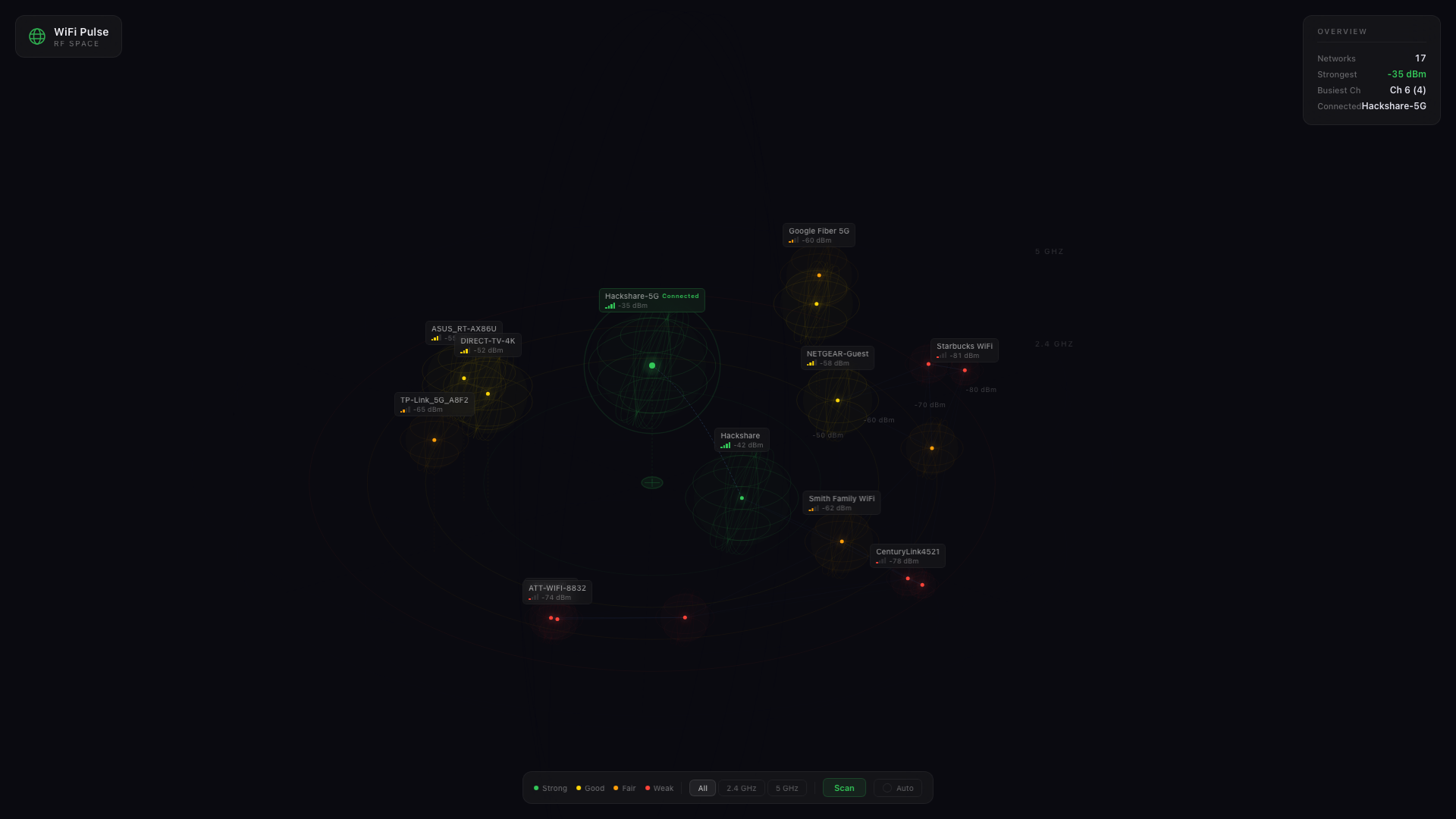
See every network around you
Explore your RF environment in an interactive 3D radar. Click networks to see interference, filter by band, and discover what's competing for your airspace.
Now available for macOS
Real-time WiFi monitoring from your menu bar. Track response times, signal strength, and connection quality—with actionable tips to fix issues.
Features
Powerful diagnostics, beautifully simple.
See your WiFi signal strength in real-time with visual bars, channel info, and noise levels. Know exactly how strong your connection is at any moment.
Continuous monitoring to both your router and the internet. Instantly spot connection issues before they ruin your video call or gaming session.
Get a quality score from 0-100 plus friendly status messages like "Looking Great!" WiFi Pulse tells you what's happening in words you understand.
Don't just see problems—fix them. Get context-aware recommendations based on your specific network conditions, from channel suggestions to router placement advice.
RF Space
Explore your RF environment in an interactive 3D radar. Click networks to see interference, filter by band, and discover what's competing for your airspace.
How It Works
WiFi Pulse lives in your menu bar, always watching your connection.
See your connection quality score at a glance. The icon changes color based on connection health: green for good, yellow for fair, red for critical.
Click the menu bar icon to see detailed metrics including signal strength, response time graphs, dropped packets, DNS performance, and your public IP.
WiFi Pulse doesn't just show you problems—it tells you how to fix them. Get context-aware recommendations based on your network conditions.
Consider switching to channel 36 for less interference
FAQ
WiFi Pulse requires macOS 13 (Ventura) or later. It's optimized for both Intel and Apple Silicon Macs.
Apple requires location permission to access WiFi network names (SSID). This is a privacy feature built into macOS. WiFi Pulse doesn't collect or transmit your location data.
WiFi Pulse is designed to be lightweight. The default check interval is 2 seconds which uses minimal resources. You can adjust the interval in settings if needed.
Yes! You can export diagnostics and history data to CSV files, or copy a summary to your clipboard. Great for sharing with IT support or tracking issues over time.
WiFi Pulse is free to download and use. No subscription required.
Join thousands of users who know exactly what's happening with their WiFi.
Download for MacRequires macOS 13 or later · Universal binary (Intel + Apple Silicon)